Scheduled tasks

Scheduled tasks are now available in Active Intelligence. Set up any Active Intelligence prompt to run once or on a recurring basis, so insights, reports, and drafts are generated automatically without you having to ask each time.
Scheduled tasks are available on all plans: Starter, Plus, Pro, and Enterprise.
You'll find them by clicking the Your AI icon in the upper left-hand corner of your account and selecting Scheduled tasks. From there you can create new tasks, see which ones are active or paused, and edit, pause, or delete them. The Ideas and Inspiration section also suggests tasks tailored to your account that you can review and adjust before activating.
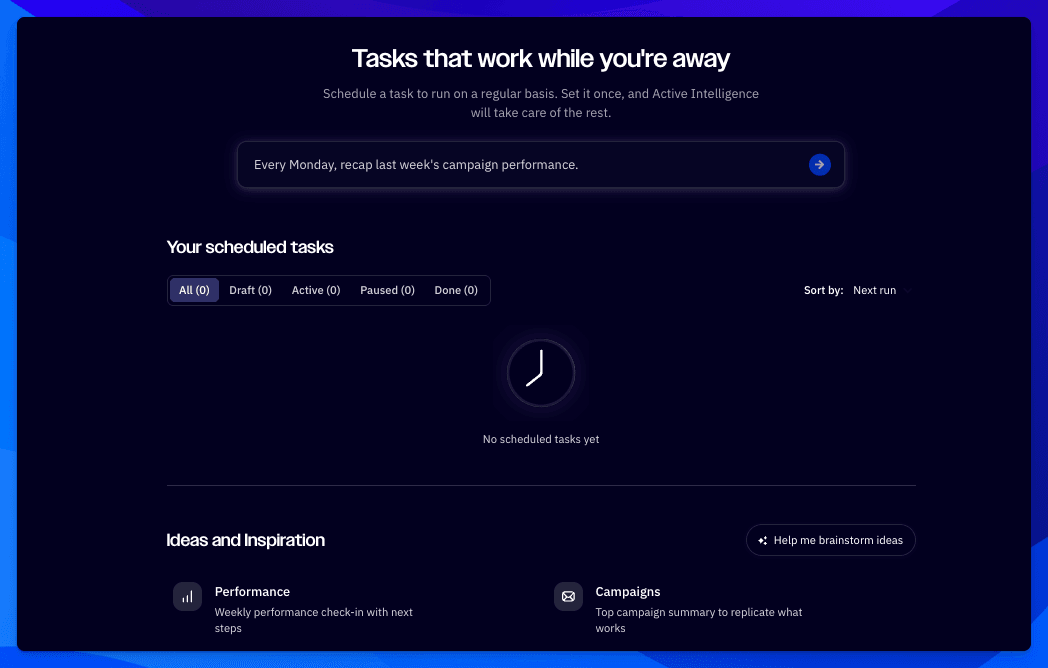
Key Features
Any prompt, on your schedule
Write a prompt, pick the date and time of the first run, and choose whether it runs just once or repeats every set number of days, weeks, or months.Email notifications
Notify up to 10 admin users by email every time the task runs.Run now to preview
Test the task and check its output before you activate it.Results where you work
See each run's results on your account homepage or through the insights notification badge in the top navigation bar.Ideas and Inspiration
Start from tasks Active Intelligence suggests based on how your account works.
Benefits
Less repetitive work
Recurring reports, checks, and drafts run on their own, so you no longer need to type the same prompt every day.A clearer view of what's working
Get regular updates on things like your progress toward a business goal or contacts who have gone quiet.Campaigns that start ahead
Receive newsletter drafts built from your brand voice and best-performing content, ready for you to review.Marketing that keeps moving
Tasks keep running in the background, even when your attention is elsewhere.
Note: Only users with admin permissions can access the Scheduled tasks page.
To read more about this new feature, click here.